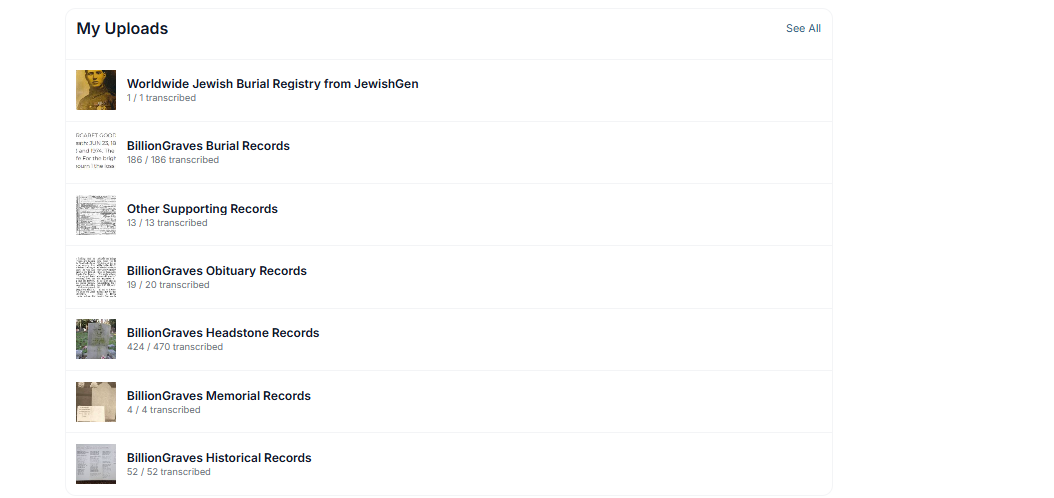
BillionGraves has a series of record collections that are housed on the website that users can add to.
These records include:
- Headstone Photos taken outside of the app.
- Obituaries
- Funeral Programs
- Death Certificates
How do I do this?
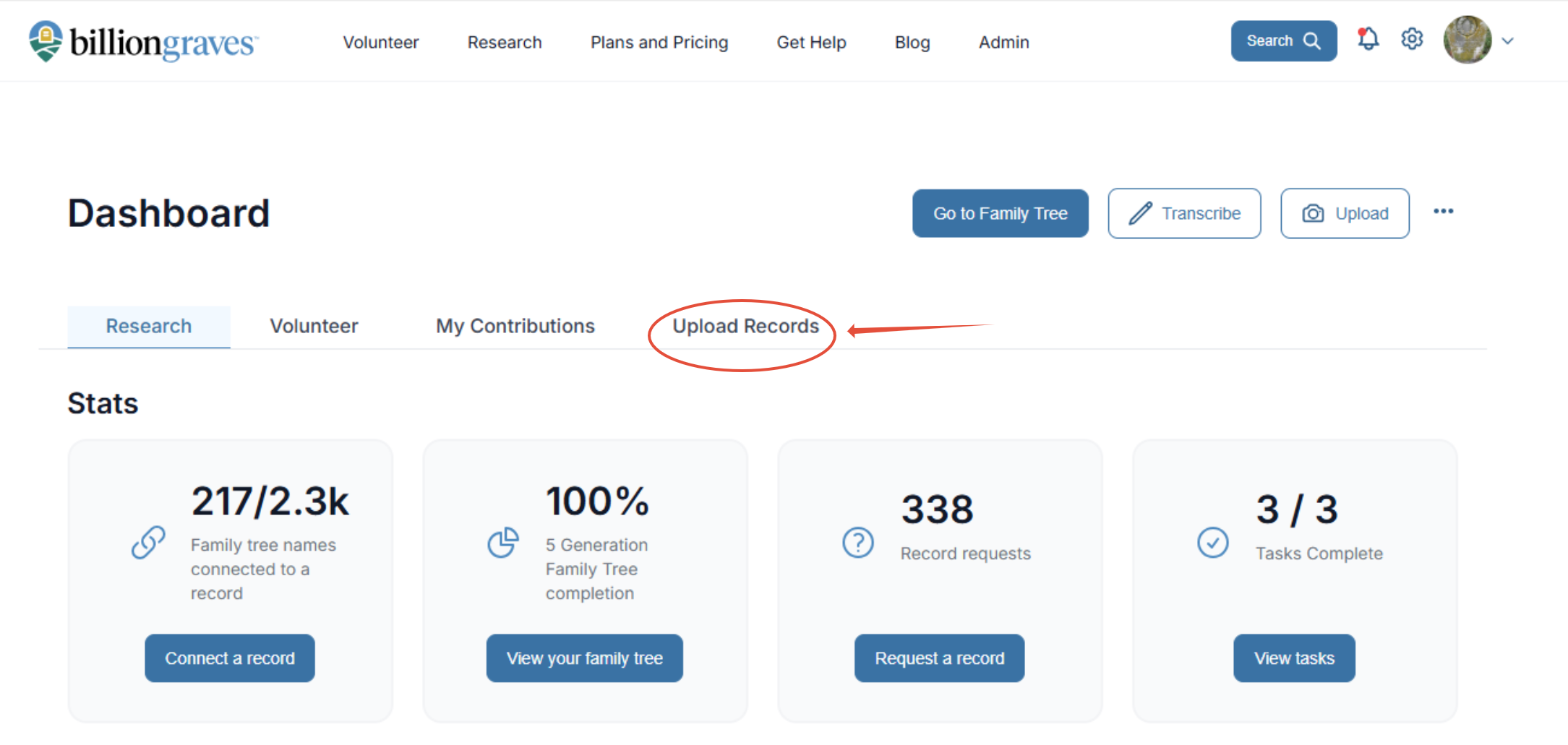
Step 1: On the BillionGraves Dashboard choose the Upload Records tab.
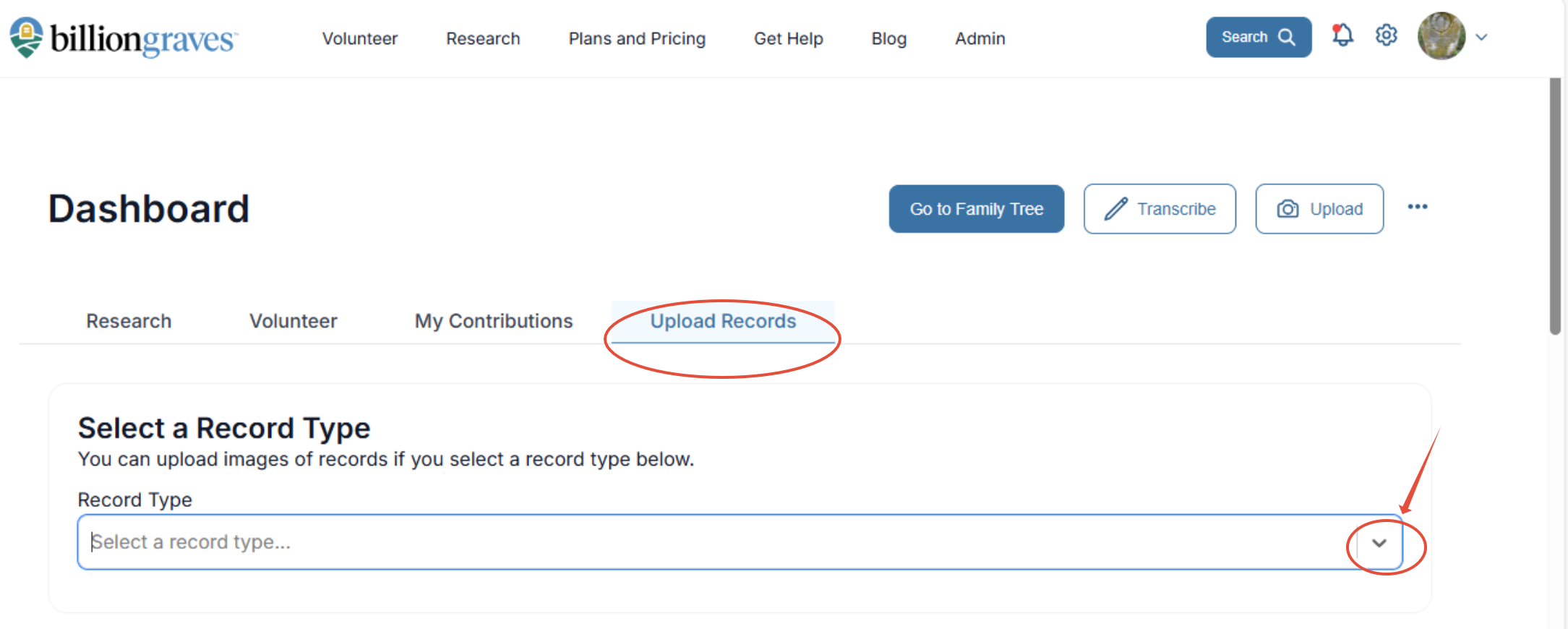
Step 2: Select a record type by choosing the correct document type from the
drop-down menu.
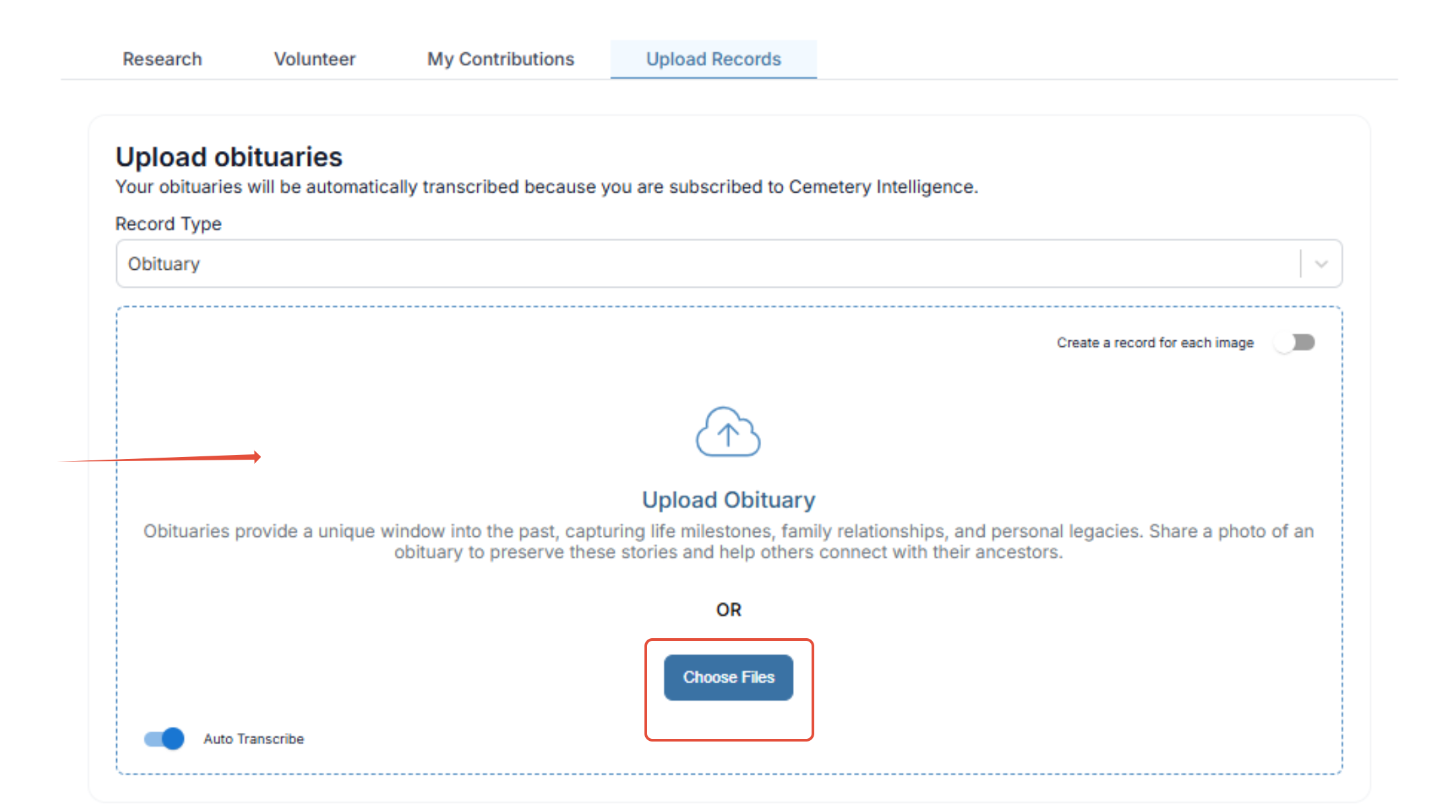
 Step 3: If an Obituary, Funeral Program or Death Certificate is chosen, you simply drag the image to the box, or click on choose files to find the location from your computer and add it to BillionGraves. These will be placed in corresponding collections housed on our website.
Step 4: If this is a headstone photo taken outside of the app, fill in all of the boxes to place the stone in the correct location.
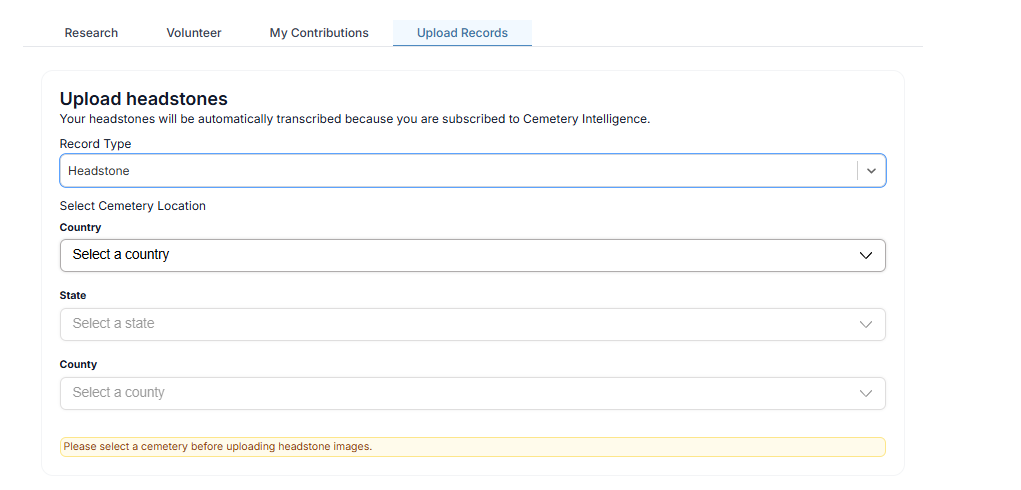
Step 5: Once the boxes are filled out, the box will appear where the image can be uploaded to the website.
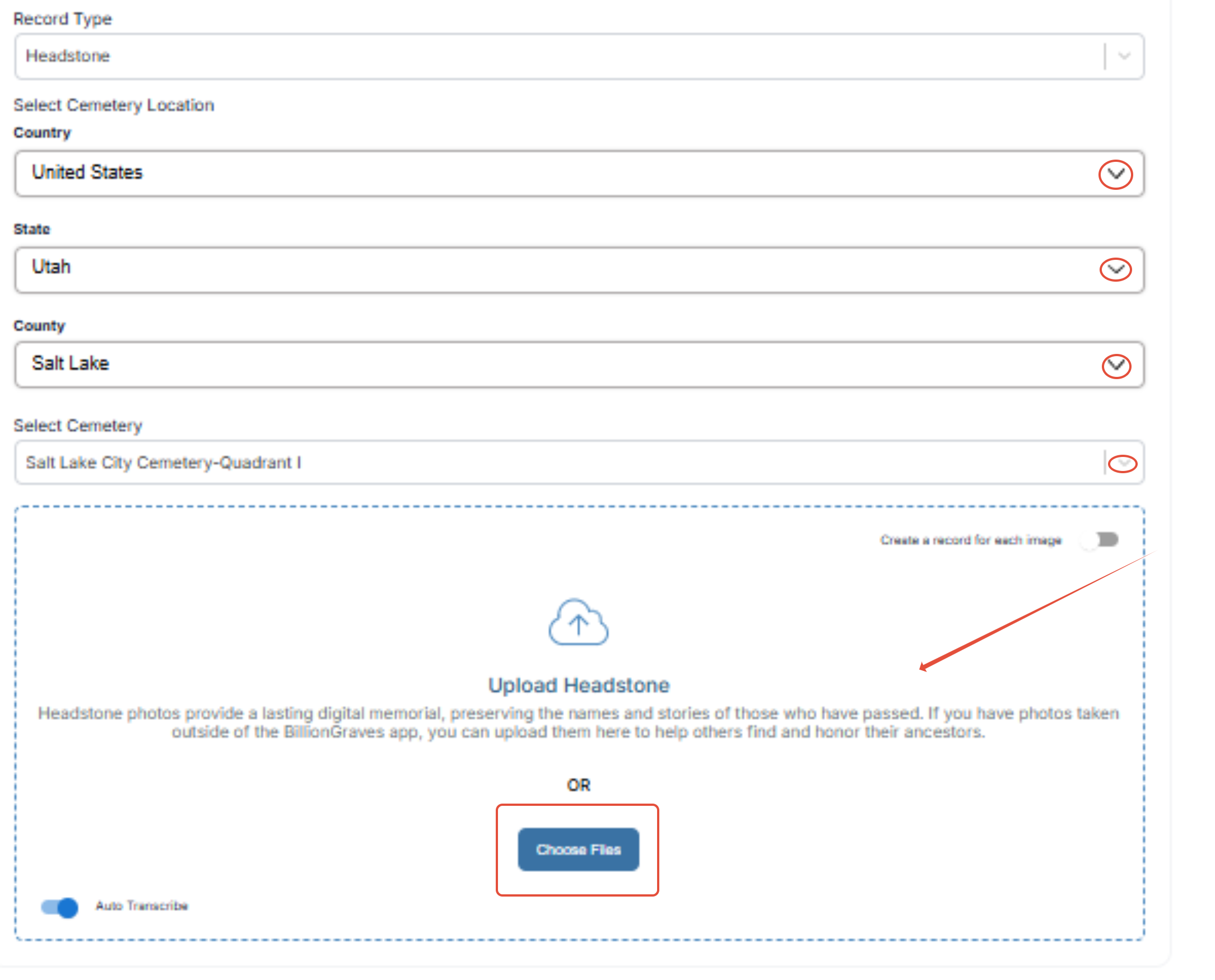
The images you upload, can be found on the upload image tab by scrolling down to the bottom. These will be under "My Uploads"