
To correct the name of a cemetery:
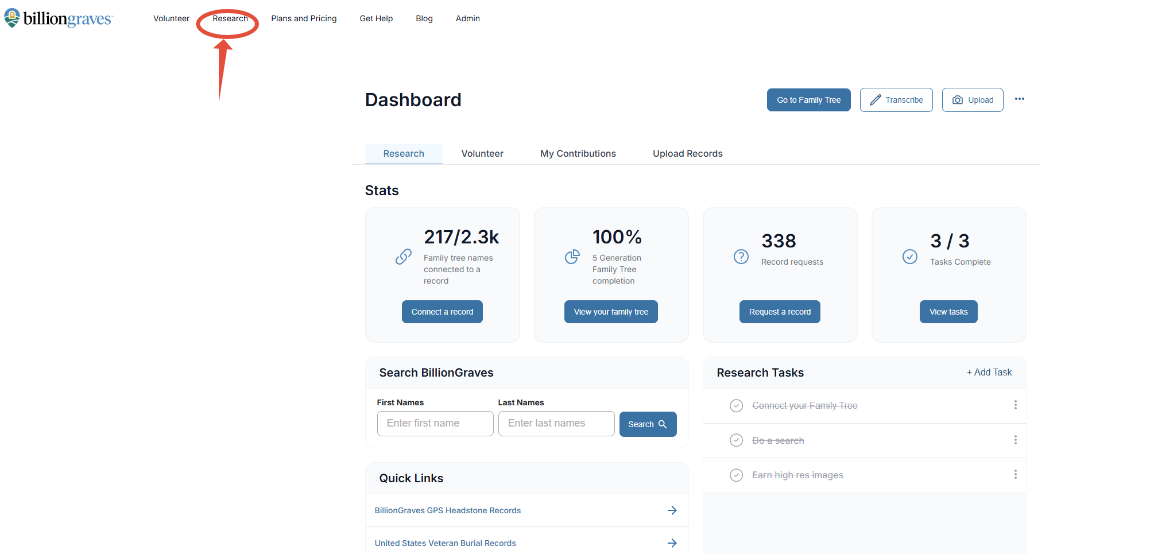
Step 1: On the main page of the BillionGraves site, click on Research
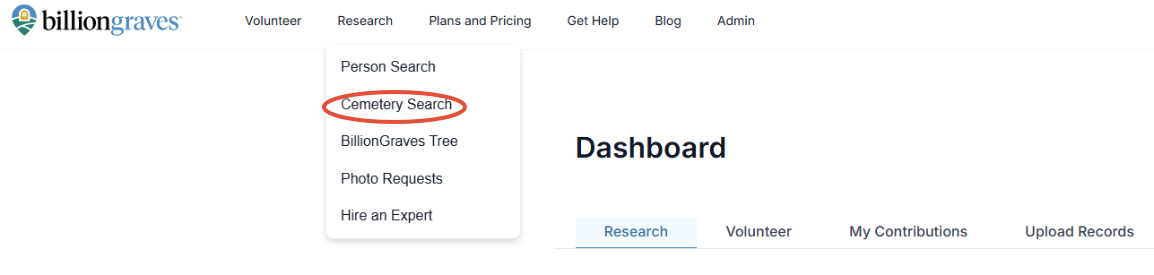
Step 2: Click on Cemetery Search and find the cemetery that needs the name change.
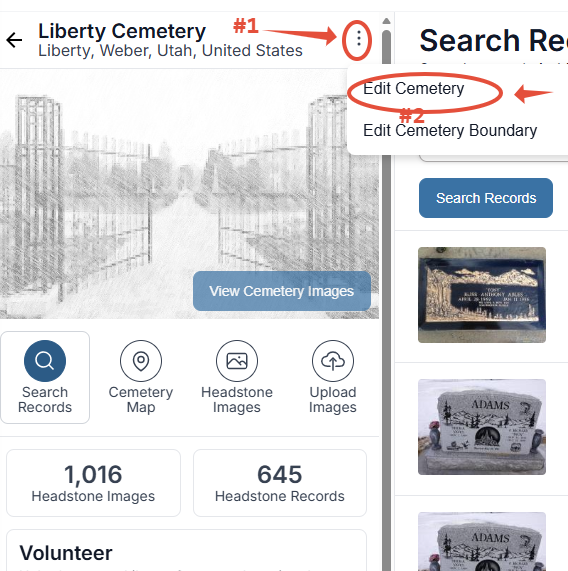
Step 3: On the cemetery page, click on the three horizontal dots next to the cemetery name. Click Edit Cemetery.
Step 4: Correct any information needed for the cemetery.
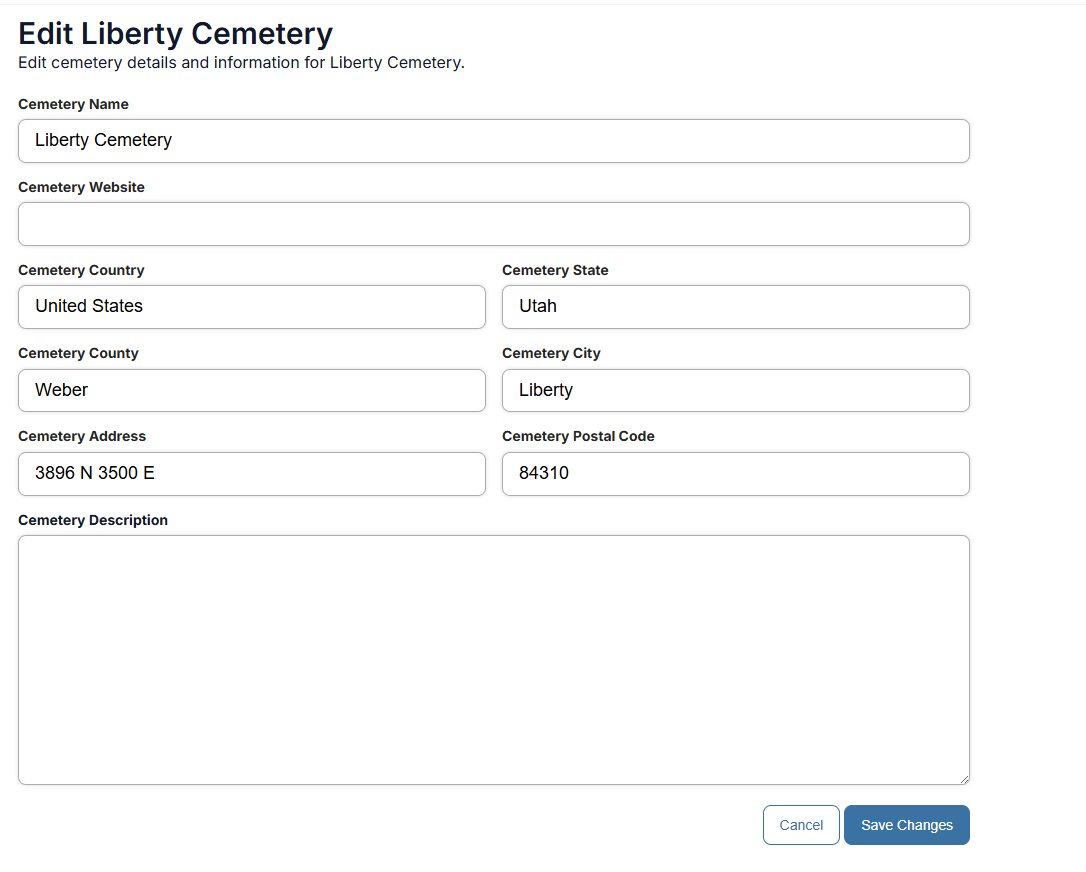
Step 5: Add a Cemetery Description (optional). If there are multiple names for the same cemetery, add them here.
Step 6: Click Save.
Do you need more help? Click HERE to create a ticket.