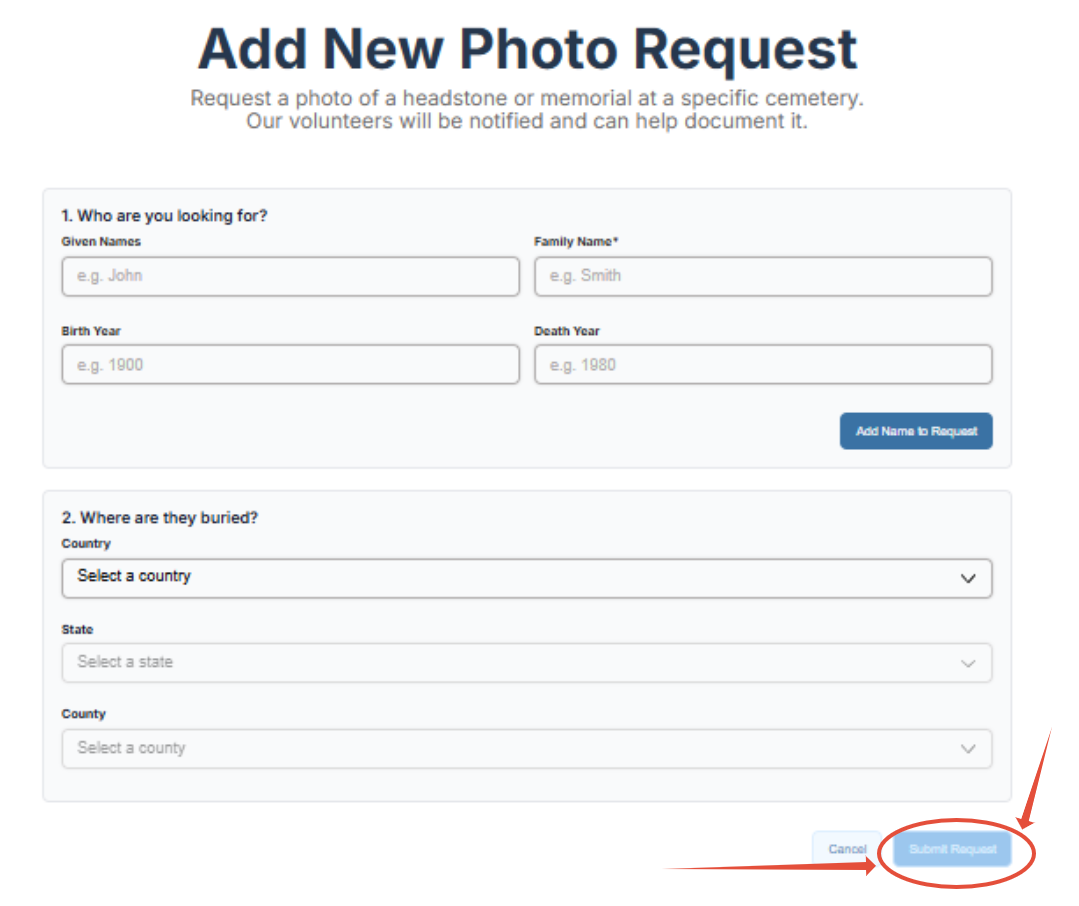
How to make a photo request.
Although it is better for everyone to photograph entire cemeteries or sections, and we encourage this, sometimes only one or two photos from large cemetery are all a researcher requires. We do allow for photo requests for entire cemeteries or specific individuals. Here is how this can be done:
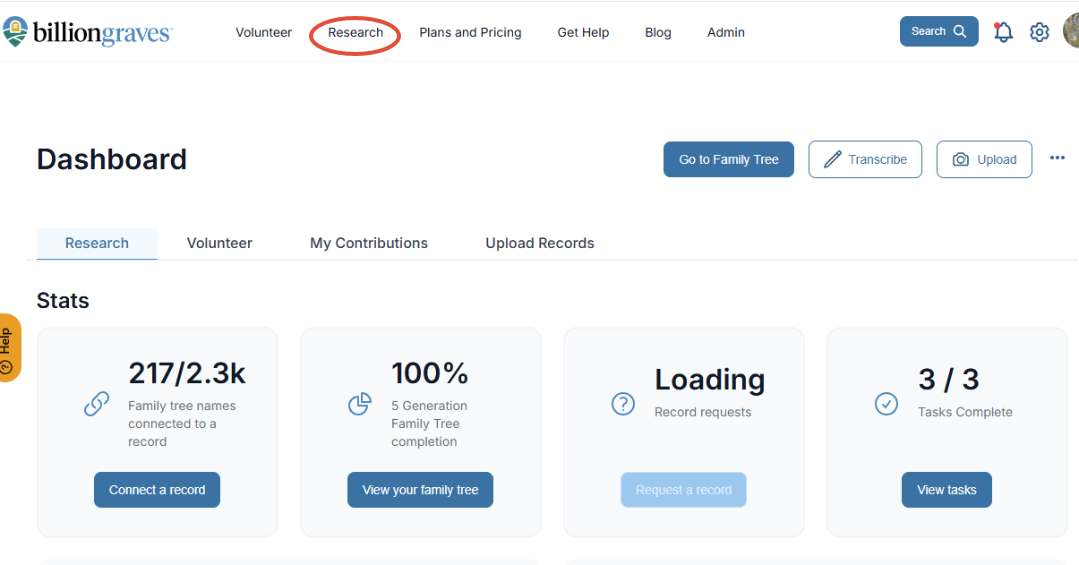
From the Dashboard:
Step 1: Click on Research.
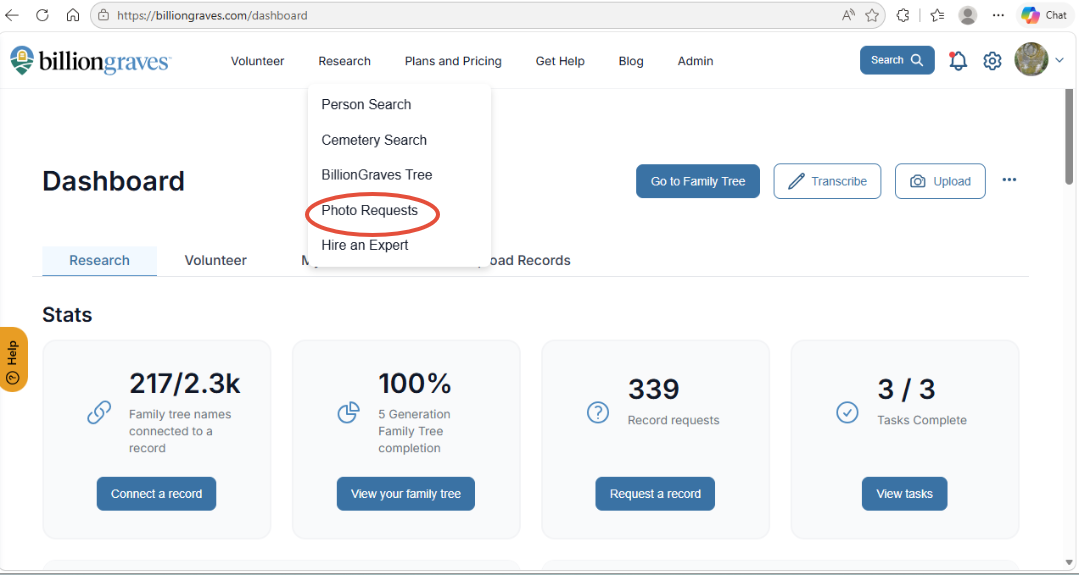
Step 2: From the dropdown menu choose: photo request.
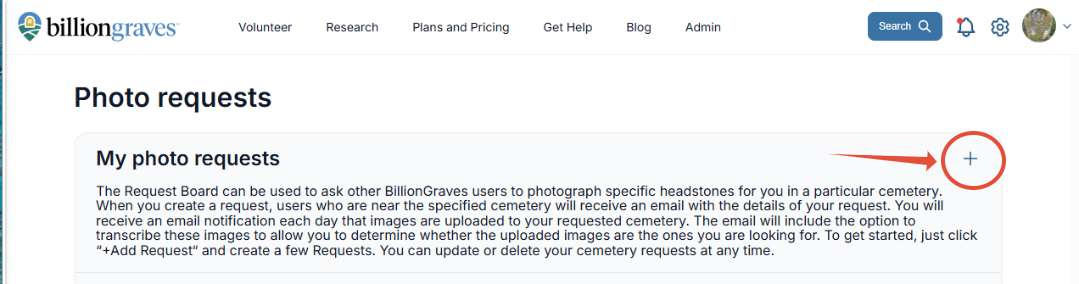
Step 3: Click on the plus sign.
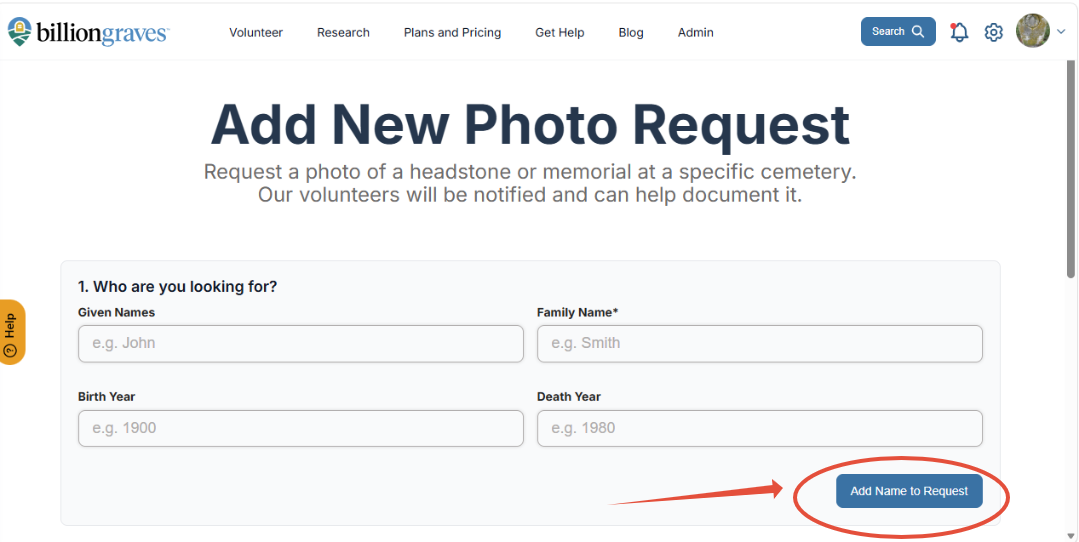
Step 4: Fill out the form. If more than one person needs to be added to the form, choose add name to the request for each individual.
Step 5: After the form is complete. Click submit request.