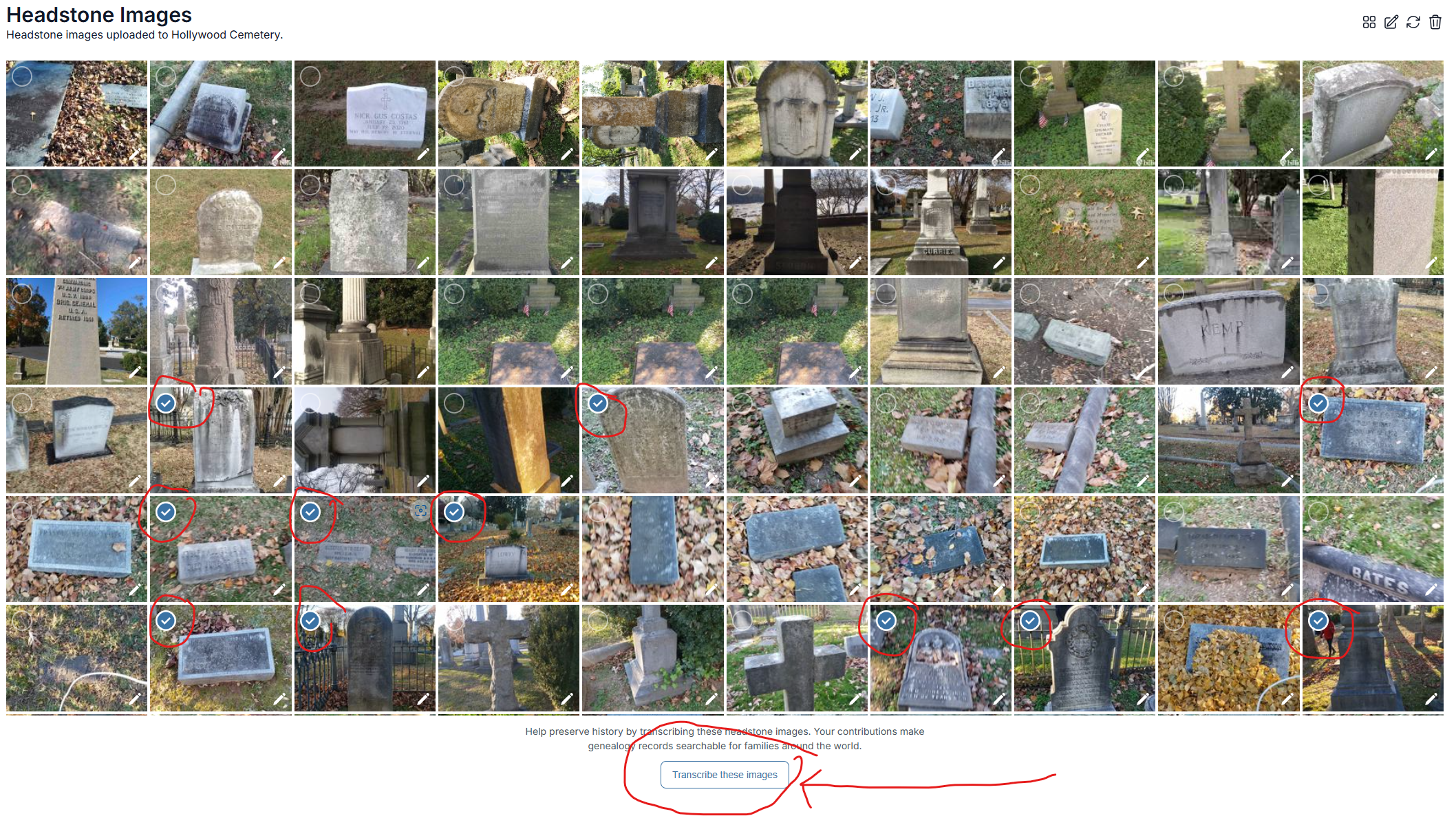
For your own photos, click on the My Contributions tab. Scroll down to My Photos. Click See All. Click Needs Transcription. You can checkmark as many photos as you would like to load your own transcription queue. If you click on the box icon you can choose all of them, or you can click on a number of the checkmarks and click on the pencil to choose just a few of these. 
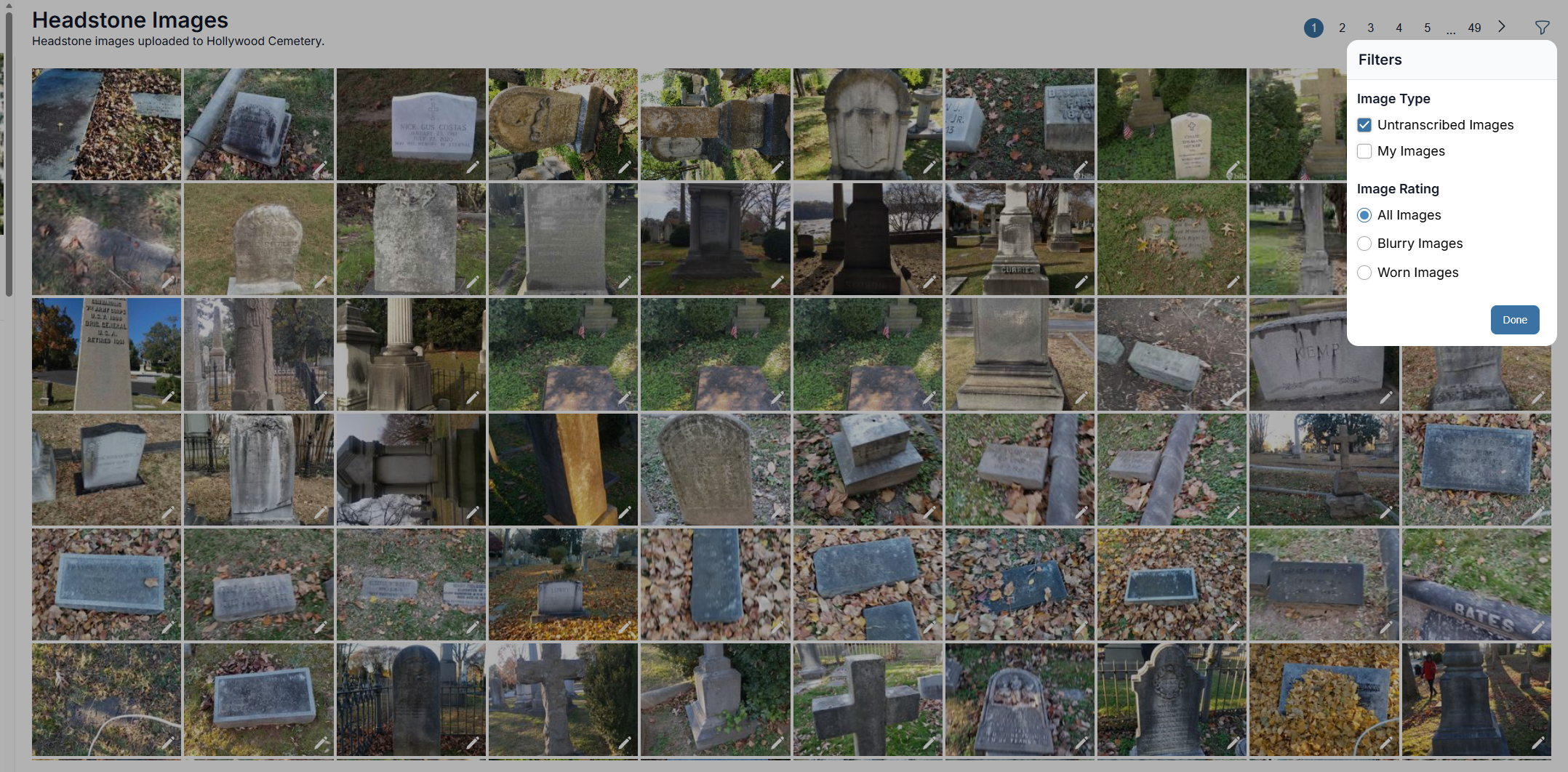
You can also choose a number of photos in the cemetery images in any cemetery of photos that haven't been transcribed yet and do the same thing. On the headstone images portion of the cemetery page. Click on the filter and choose untranscribed images, followed by "done".
Next choose the photos you would like to transcribe by clicking on the circle in the left-hand side of the photo. These will create blue check marks. Then, click on the box at the bottom that says, "transcribe images". This will load your personal transcription queue with these images.